35mm Slide Scanning
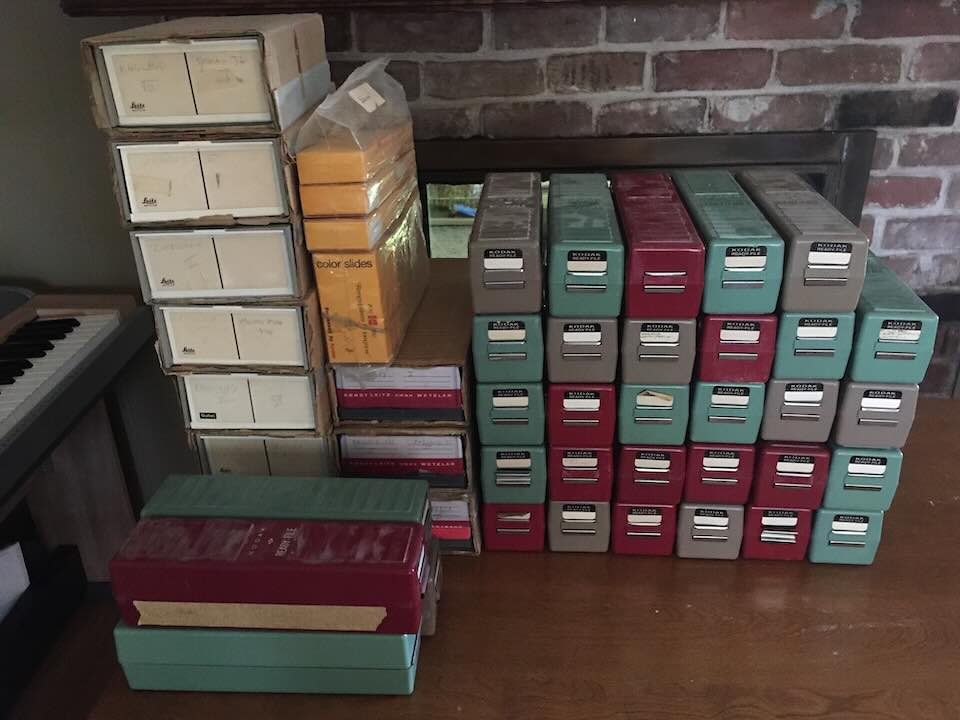
During his life, my grandfather was an avid photographer. He photographed family trips and events, plants and animals, buildings and sculpture. In his living room, hung from the ceiling, was a projector screen. In the living room closet, thousands of slides, organized into boxes and projector trays by category. While he died before I was born, his handwritten notes regarding people, locations, dates, and even focal length and aperture were meticulously hand written on the cardboard slides themselves.
In order to preserve (and distribute) this information in digital form, this project had two main goals:
- Digitize the image data on the slides
- Embed in those images all the handwritten information from the slide carriers
Slide Scanning
The Nikon Era
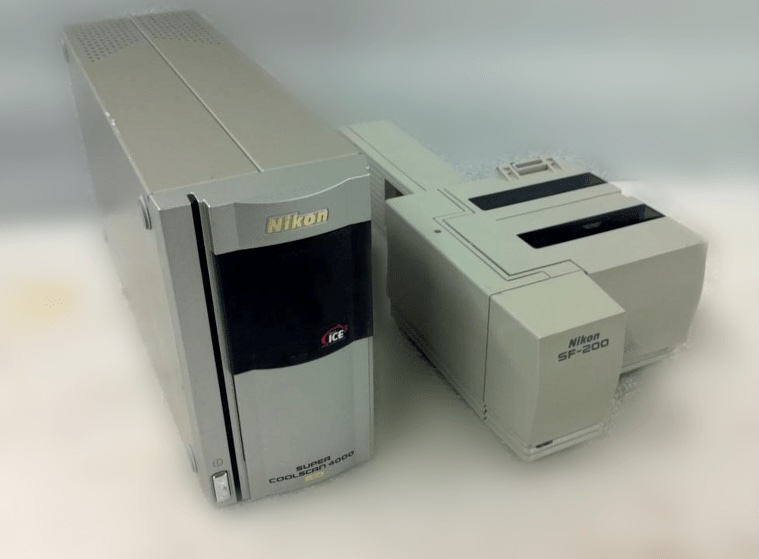
Back in the early 2000s, I attempted to digitize the slides myself using a Nikon Coolscan LS-4000ED + Automatic slide feeder. This was, to put it bluntly, a disaster. The feeder would jam and require constant babysitting. The software was terrible. RAWs were enormous and required, since the auto-exposure code was not great and frequently slides would be very dark and need to be exposure adjusted before JPEG compression which would “bake in” the tone mapping from the scanning software otherwise. I made it through about 1000 of the 8000 slides and gave up for a decade.
ScanCafe
In 2015, thanks to substantial KQED Pledge Drive advertising, I became aware of ScanCafe. For the low price of thirty-three cents per slide, hauled a giant box with all the slides over to Hayward, CA and dropped them off. A couple months later, I got the slides back, and a usb hard drive with all the digitized images.
Having two very young children at this point, I did not have the bandwidth to figure out a process for handling the slide metadata ingest. A couple backups of the image data were made, and the slides sat for another decade or so.
Metadata & App Development
With the children somewhat grown up, my parents retired (and now in possession of the slides), and having spent a stint of time as a manager of a group of technologies which included image reading and writing, the time for data entry had finally come. I decided I would write a piece of software for macOS that would satisfy the following constraints:
- Edit the JPEG file metadata without re-encoding the image.
- Add the original capture date, caption written on the slide, aperture, focal length, orientation, and GPS information if the location of the image could be worked out.
- Show the image being edited, to match to the correct physical slide.
- Make performing this process 8000 times relatively painless.
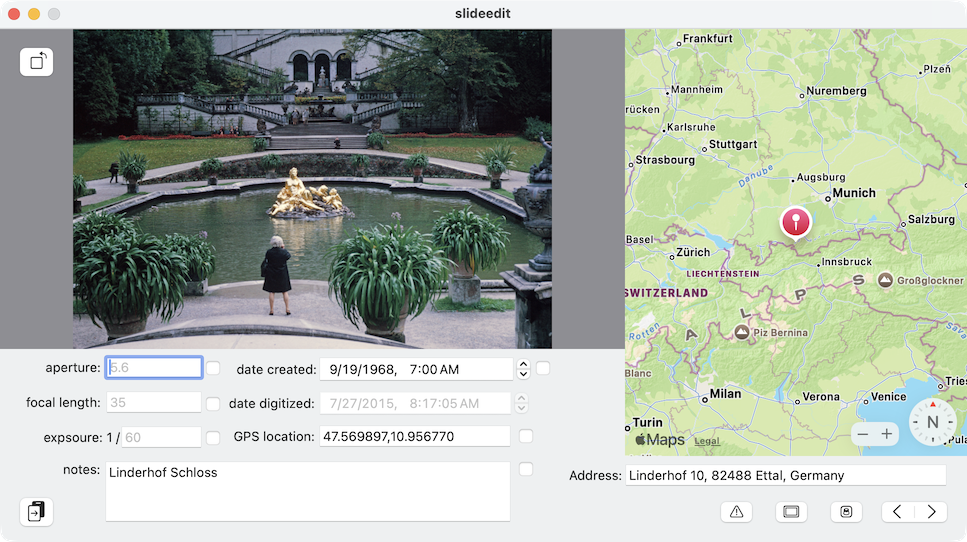
And so, over the winter holidays in 2023, and then a bit in summer of 2025, I wrote this somewhat homely app:
The Design
I make no claim to be a decent UX designer, nor have any particular aptitude for app development, but it worked. The overall flow ended up being something like the following:
The user would look at the physical slide, by holding it up to a light source and compare it to the preview in the app. If no light source was present, the app can optionally pop up an HDR white window which, on a MacBook Pro, can get quite bright for holding the slide up to.
Any data from the slide (date, notes, etc.) was input, dirtying the document state. GPS coordinates could be input directly (rare) or an address or Place-of-Interest (POI) name could be put in the
Addressfield and geocoded.Advancing to the next slide would automatically save the changes. If the next slide was largely similar (as was often the case since many photos were typically taken at a particular camp, party, Schloss, etc.) a “copy previous modifications forward” button was present in the lower left.
It took my mom about a month to input the data from all 8000 slides. Thanks mom!
Technical Details
Implementing the requirements and features went something like this. First, a mapping of the fields I wanted to save to EXIF metadata names had to be figured out. I got this mostly from the Adobe XMP spec, and the Exif Tags list from exiftool.org.
kMetadataOrientation     = "tiff:Orientation";
kMetadataFocalLenIn35MM  = "exif:FocalLenIn35mmFilm";
kMetadataExposureTime    = "exif:ExposureTime";
kMetadataFNumber         = "exif:FNumber";
kMetadataCaptureDate     = "photoshop:DateCreated";
kMetadataDigitizedDate   = "xmp:CreateDate";
kMetadataCaption         = "dc:description";
kMetadataGPSLatitude     = "exif:GPSLatitude";
kMetadataGPSLongitude    = "exif:GPSLongitude";
kMetadataGPSLongitudeRef = "exif:GPSLongitudeRef";
kMetadataGPSLatitudeRef  = "exif:GPSLatitudeRef";
With that decided, the next problem was saving the metadata without making destructive image edits (no decoding and re-encoding the image data). Conveniently there is an ImageIO design pattern which does this, consisting copying a JPEG CGImageSource to a CGImageDestination with the kCGImageDestinationMetadata option set, which will override whatever metadata fields you want without touching the underlying image data.
// Create a JPEG image source and destination
CGImageSourceRef isrc = CGImageSourceCreateWithURL(cfurl, NULL);
CGImageDestinationRef idst = CGImageDestinationCreateWithURL(
  cfurl, kUTTypeJPEG, CGImageSourceGetCount(isrc), nil);
// Create an dictionary (convenient way)
NSDictionary *options = @{(id)kCGImageDestinationMetadata : (__bridge id)metadata};
// Copy the source to destination with new metadata
CGImageDestinationCopyImageSource(
  idst, isrc, (__bridge CFDictionaryRef)options, &err);
There text fields were well, text fields. The map search by address was MKLocalSearchRequest. The only other little neat trick is the HDR window, which sets the window’s contentView’s layer’s wantsExtendedDynamicRangeContent (ahhh! deprecated!) property to true, and the contents to a 1x1 image containing an FP16 pixel with the RGBA pixel value { 16, 16, 16, 1} corresponding to 1600 nits white.
I tried to take a photo of it for this post but it’s hard to take a photo of an HDR window on a computer screen because of all the fancy local tone mapping in cameras these days. More software should do HDR tricks on MacBook Pro screens, they’re really incredible.
What’s Next
There’s a little bit of data cleanup still to do at this point. A script run over the images shows there’s roughly 200 with missing or implausible dates (974 instead of 1974, etc.), and another 600 with missing GPS coordinates. Some portion of those should be relatively trivial to fix based on comparison to the images “near them” in the folders.
Once the data is finished being cleaned up, the plan is to generate static galleries, a side database of face recognition data, and a web search interface across captions and faces to help navigate the data, and then copy all of that to a bunch of USB drives and mail them out across the family. More on the gallery and face recognition support later.